
1. Check That You Copied the Correct Instagram Reel Link
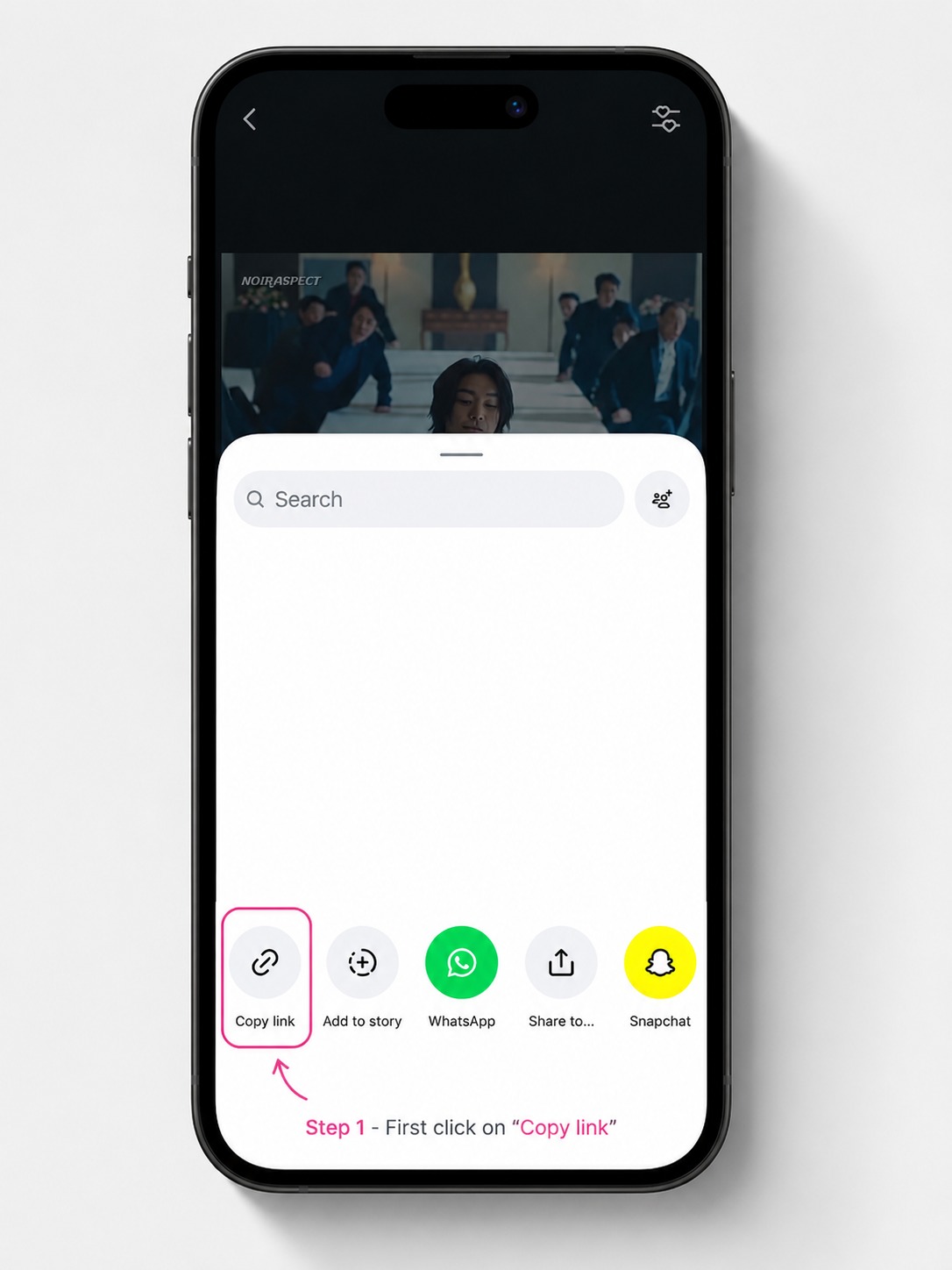
GoodFetch expects a copied link that opens one individual public Reel. The Reels Downloader page notes that supported Reel links typically contain /reel/ or /reels/. The most important check is that opening the copied URL takes you directly to the Reel.
Copy the link from the Reel itself
Open the individual public Reel, use the Share control, and copy the direct link again. Avoid copying the creator profile URL or another Instagram landing page.
2. Common Link Types That Do Not Match the Reel Tool
- Instagram profile URL: opens a creator profile rather than one Reel.
- Feed or Explore URL: opens a browsing page rather than one Reel.
- Hashtag or search URL: points to a collection or discovery page.
- Private or login-protected Reel: is not publicly accessible to the GoodFetch workflow.
- Removed or unavailable Reel: no longer provides a usable public source.
3. Why a Public Instagram Reel Can Still Fail
A Reel can look public in your own browser and still fail during extraction. The current Reels page explains that a public-looking Reel may have been removed, region-restricted, temporarily unavailable, or unsupported by the current provider.
GoodFetch also does not authenticate with Instagram, so it cannot use your logged-in session to access media that requires account access, cookies, age confirmation, or other restrictions.
4. Paste a Fresh Link and Retry the Analysis
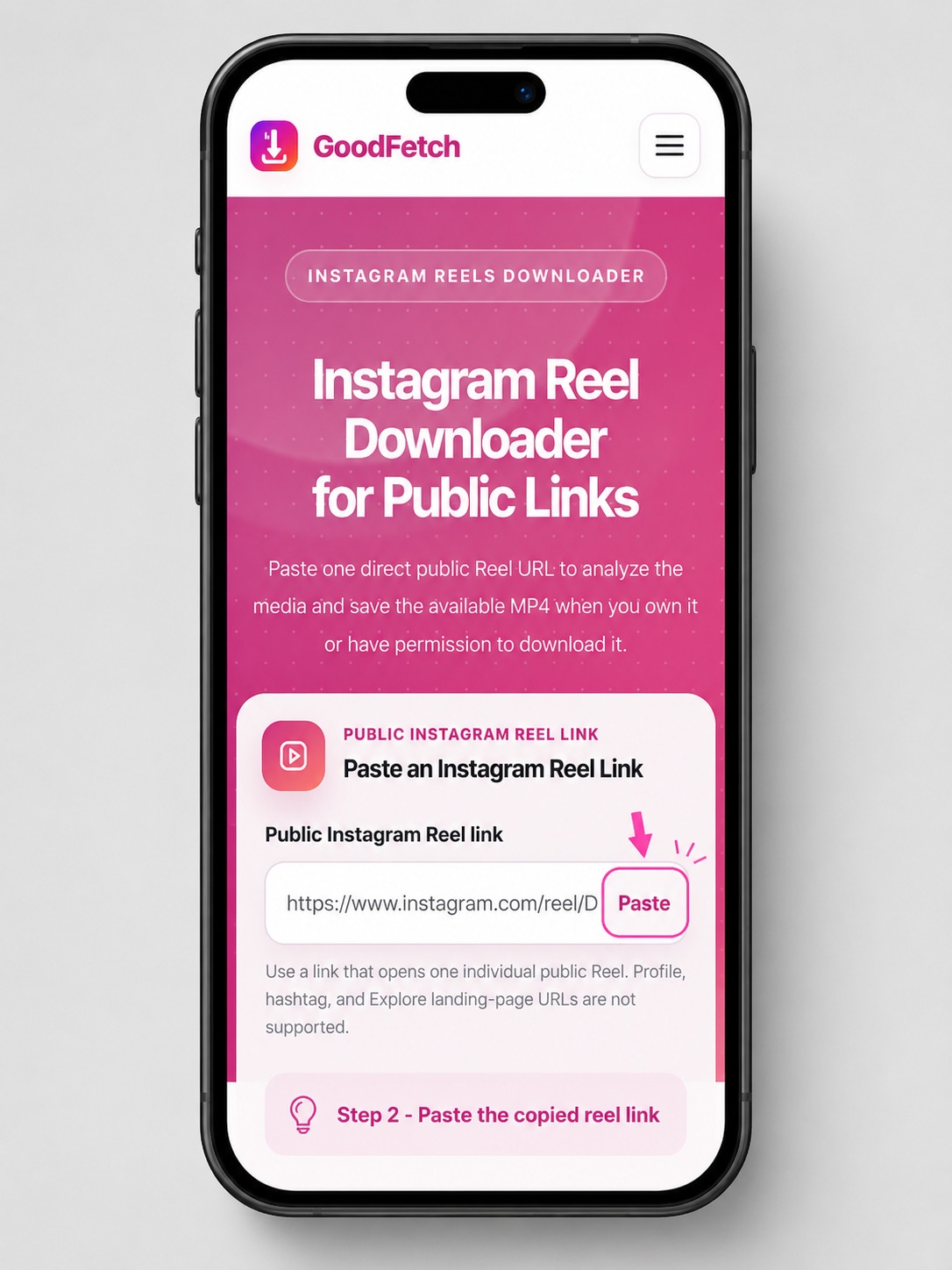
Paste the fresh public Reel URL
Open the Instagram Reels Downloader, paste the newly copied link, and start the analysis again. If the link itself opens the Reel but the provider returns a temporary failure, wait and retry later rather than repeatedly changing the URL.
5. If the Reel Was Analyzed but the Download No Longer Works
GoodFetch can use temporary files, cached responses, or short-lived download references. If an older result has expired, return to the original public Reel URL and analyze it again to generate a fresh result.
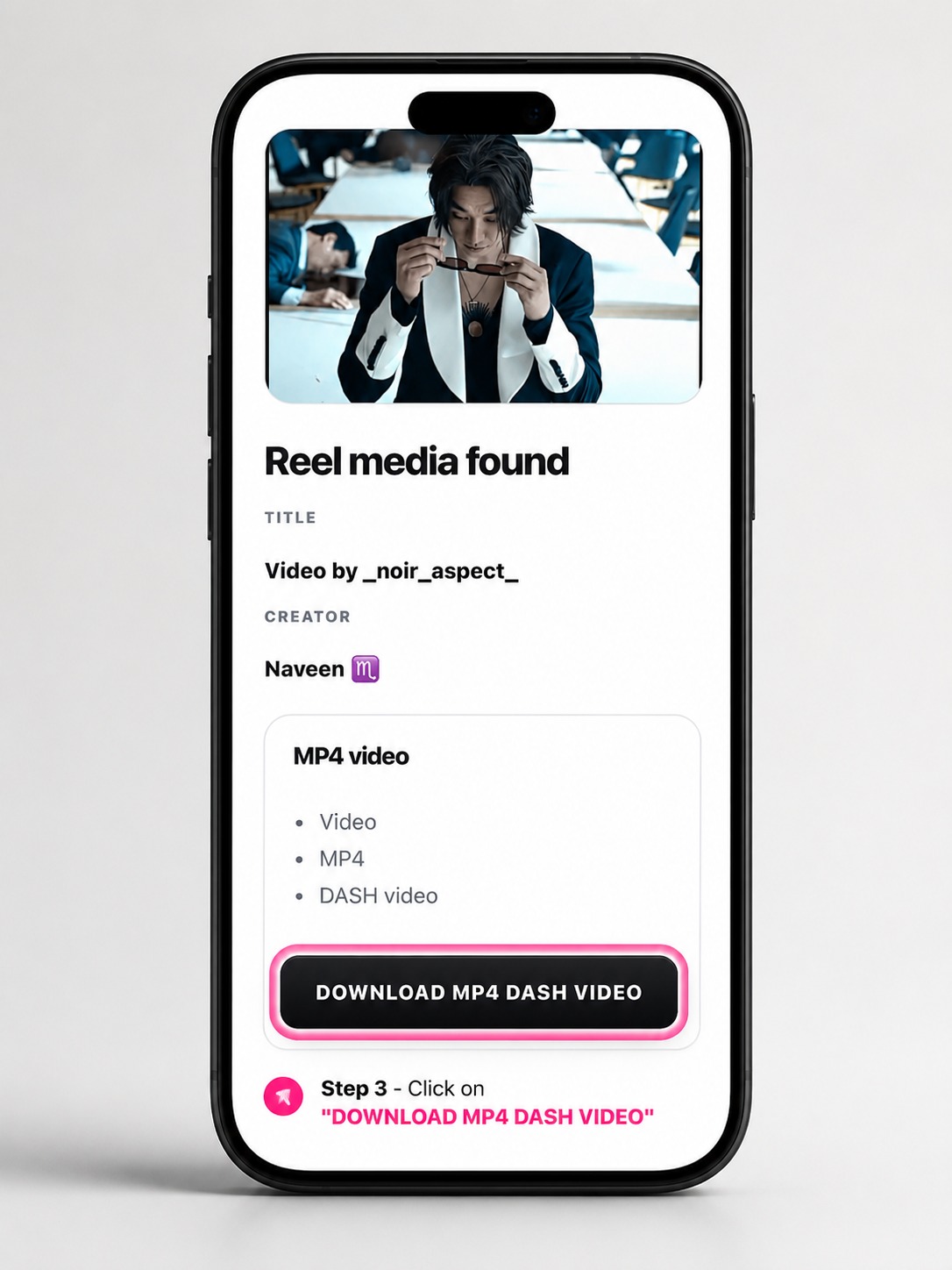
Use the new returned result
Review the media details again and use the current download action only for media you own or are permitted to save. GoodFetch does not provide permanent Reel storage.
Browser and Connection Checks
If the GoodFetch page itself is not loading correctly, refresh once, confirm that your connection can reach the site, and try a normal modern browser. A local network, DNS, VPN, proxy, or temporary origin path issue is different from an invalid Instagram Reel URL.
When other GoodFetch pages load normally and only one Reel fails, focus first on that Reel's public availability and the copied link.
Privacy and Responsible Use
GoodFetch does not request Instagram credentials or private-account access. Private, restricted, removed, login-protected, and otherwise inaccessible Reels are not supported. Download only media you own or are permitted to save.
Frequently Asked Questions
What Instagram Reel link should I use?
Use a copied link that opens one individual public Reel. GoodFetch's Reel page expects a direct public Reel URL, typically with a /reel/ or /reels/ path.
Why does my Instagram Reel link open a profile instead?
The copied URL may be a profile, feed, Explore, or other landing-page link rather than the individual Reel. Open the Reel itself and copy its Share link again.
Can a public-looking Reel still fail?
Yes. A Reel may have been removed, region-restricted, temporarily unavailable, inaccessible to the current provider, or changed after the link was copied.
Can GoodFetch download a private Instagram Reel?
No. Private, login-protected, restricted, and otherwise inaccessible Reels are not supported.
Do I need to log in to Instagram through GoodFetch?
No. GoodFetch does not request Instagram credentials, cookies, or private-account access.
What should I do if analysis worked before but the result expired?
Return to the original public Reel URL, analyze it again, and use the new result or download reference.
Why can a Reel fail temporarily even when the link is correct?
The public source, extraction provider, network path, or Reel availability can change temporarily. Retry later with a fresh direct Reel link if the page remains publicly accessible.
Try a Fresh Public Reel Link
Copy the link from the individual Reel and run a new GoodFetch analysis.